Lumia Studio
- client
- Product concept
- role
- Design
- year
- 2026
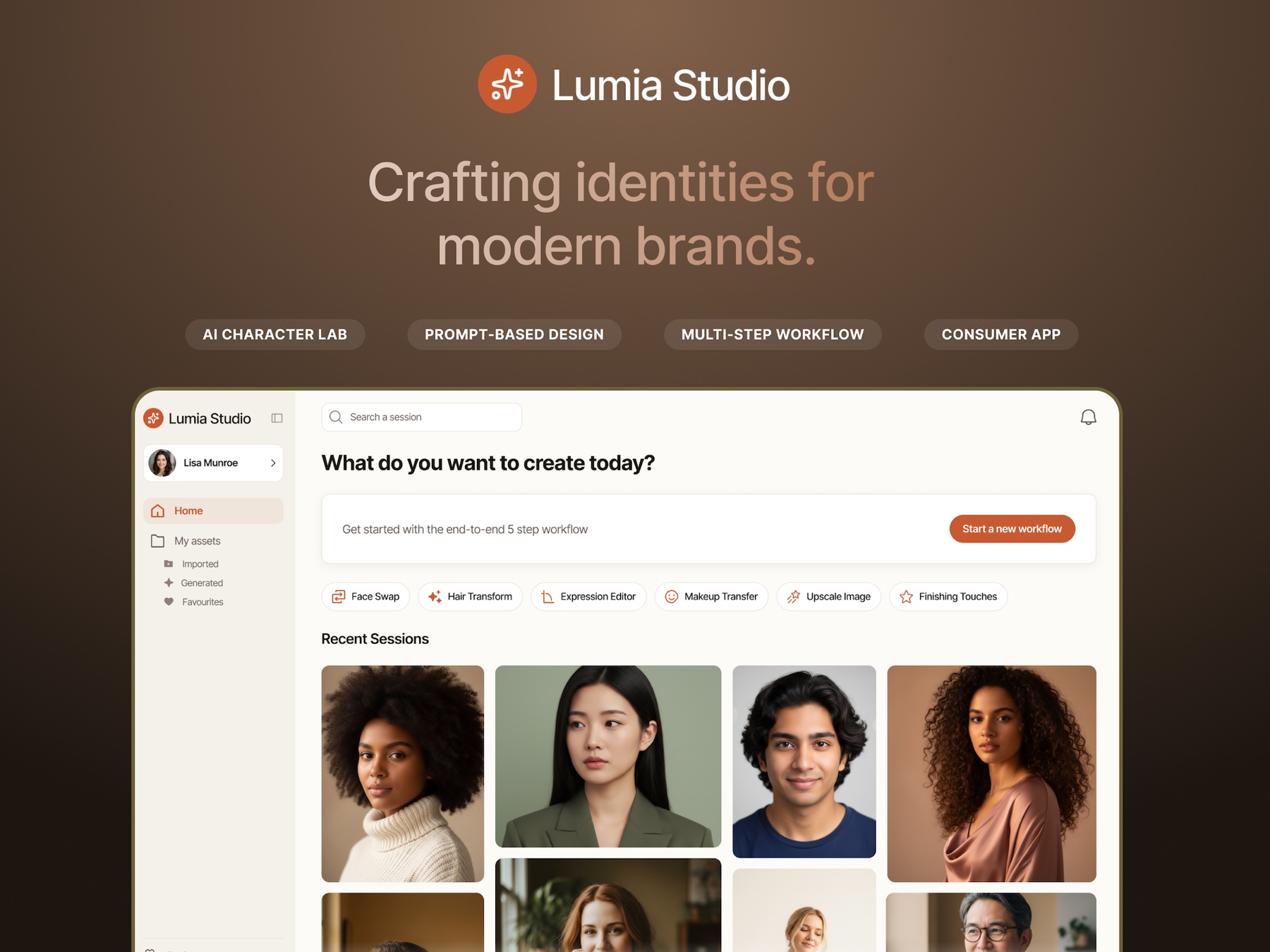
An AI character identity platform for marketing teams: a staged, controllable workflow that turns character generation from an unpredictable prompt box into something a creative director will actually sign off on.
context
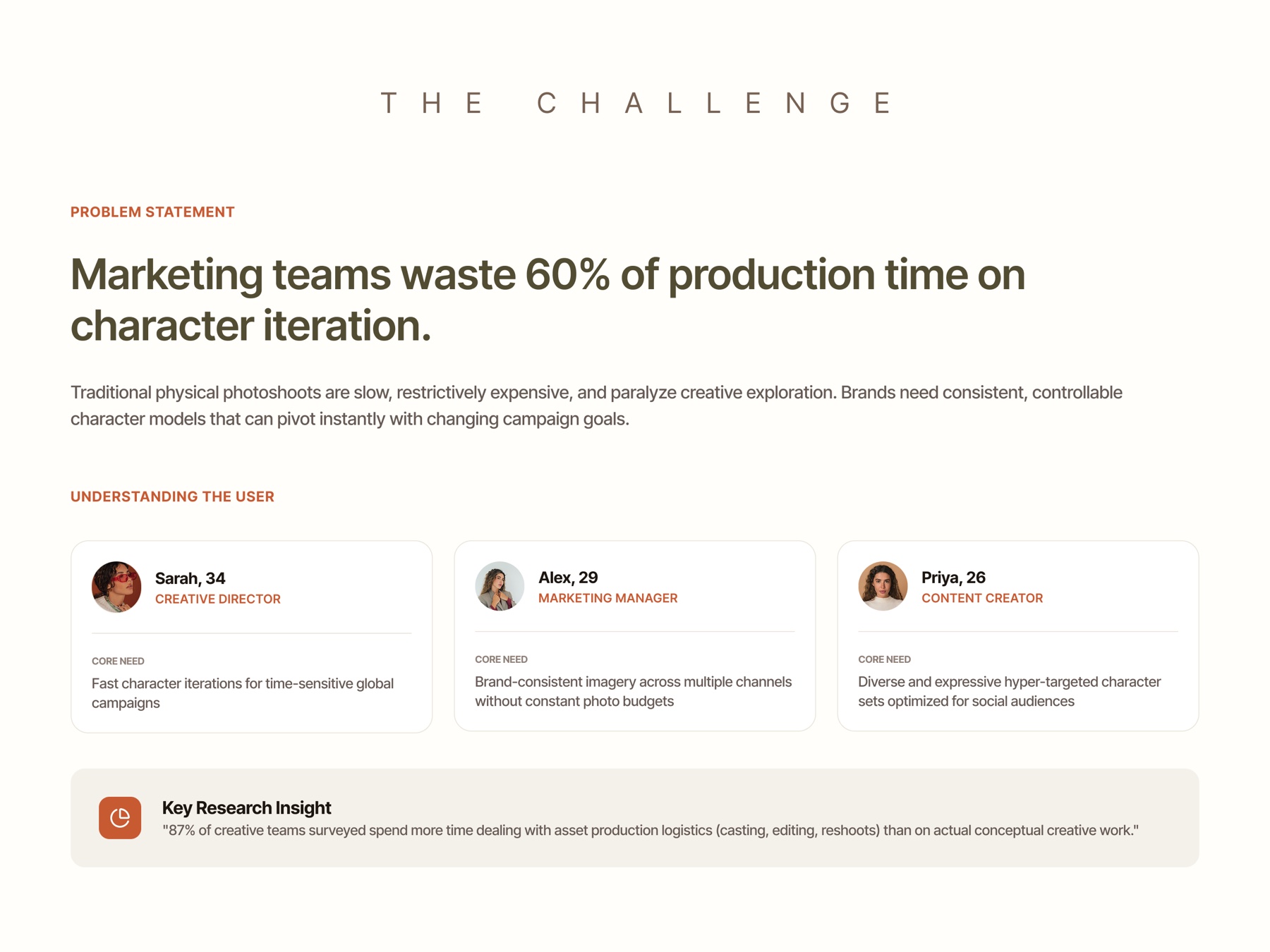
Lumia Studio is an AI character identity platform for marketing teams. Research showed those teams lose a large share of production time to character iteration: traditional photoshoots are slow and expensive, and they cannot pivot when a campaign changes direction. The brief was a tool that gives creative teams fast, controllable, brand-consistent character generation. I was the product designer, from research through to the design system.
The research
I spoke to the three roles who would actually live in this tool: creative directors, marketing managers, and content creators. Their needs diverged in a way that mattered for the design. A creative director wants fast iteration for time-sensitive global campaigns. A marketing manager wants brand-consistent imagery across channels without a photo budget every time. A content creator wants diverse, expressive character sets tuned per social audience.
The finding underneath all three: teams were spending more of their time on production logistics, casting, editing, and reshoots, than on the conceptual creative work they were hired for. The tool's job was to give that time back without taking the control away.
The design challenge
Generative tools fail creative teams in a specific way: they are impressive and unpredictable, and unpredictable output does not ship. A creative director cannot put an image in front of a client if they cannot explain how it was made or reproduce it tomorrow with one thing changed.
So the real question was not how to generate characters. It was how much control to expose and how much to automate. Too many raw controls and a non-technical marketing user drowns. Too few and the output is a slot machine nobody trusts. Every screen in this product is an answer to that trade-off.
The design bet: a staged workflow, not a prompt box
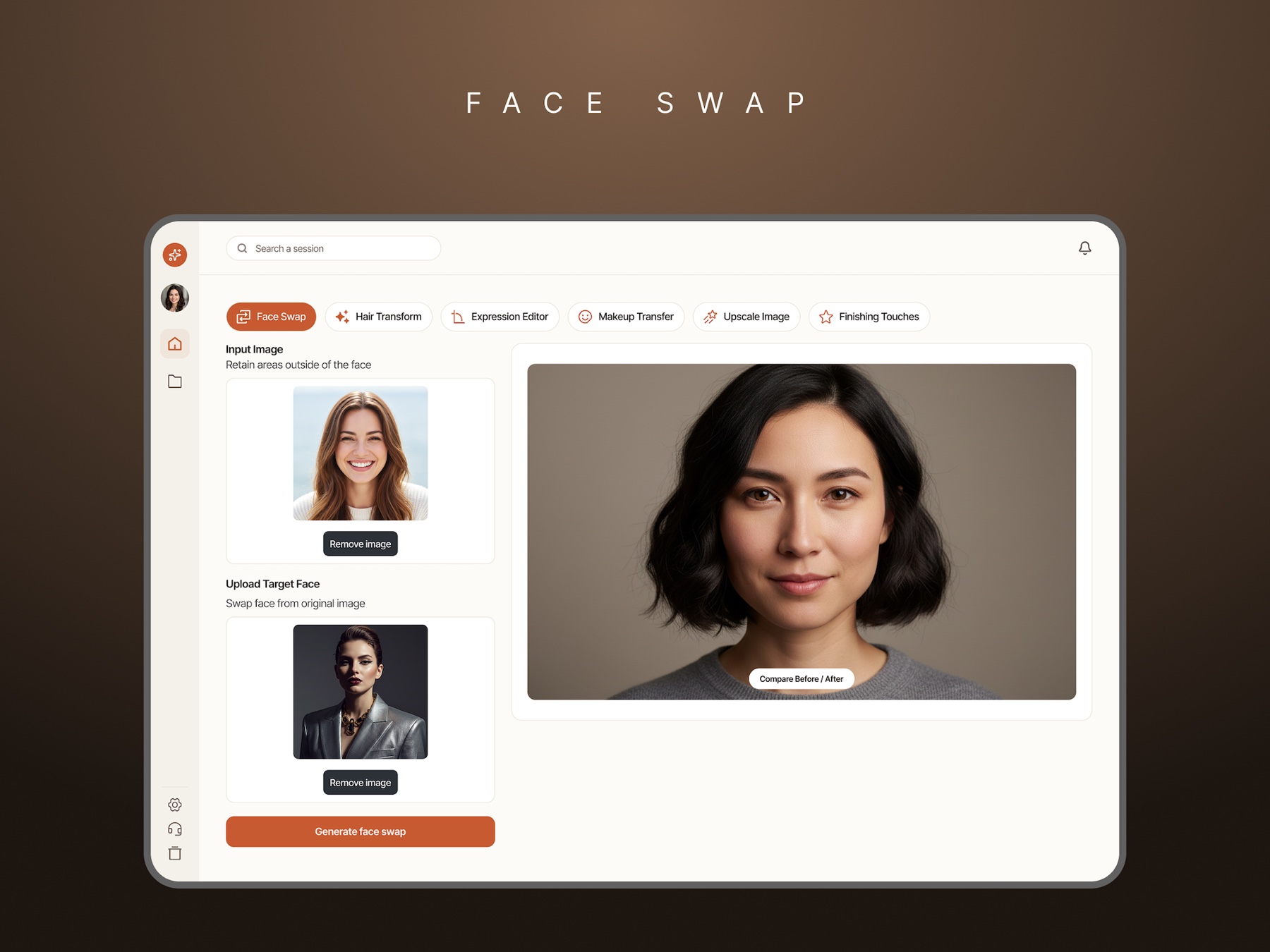
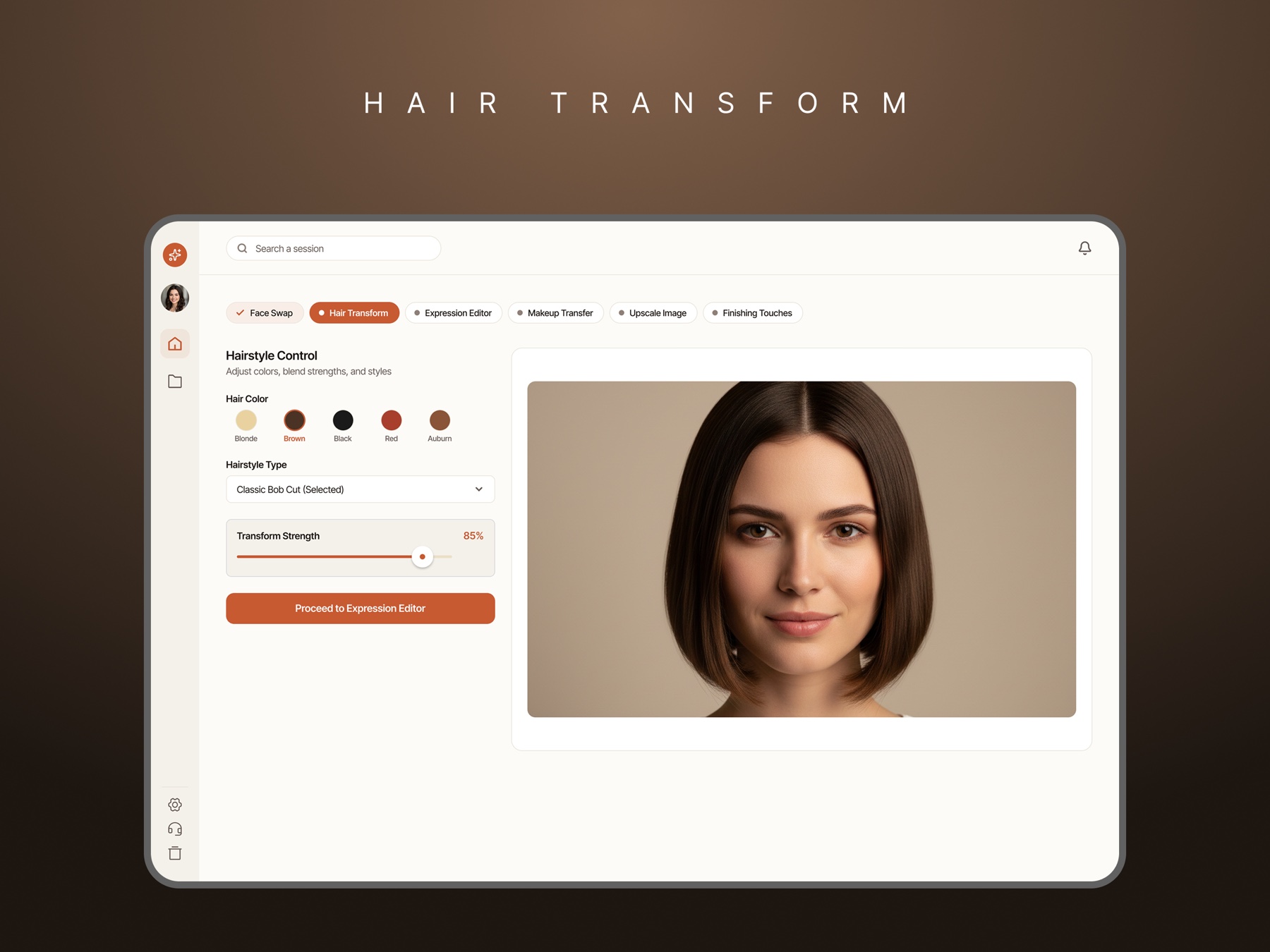
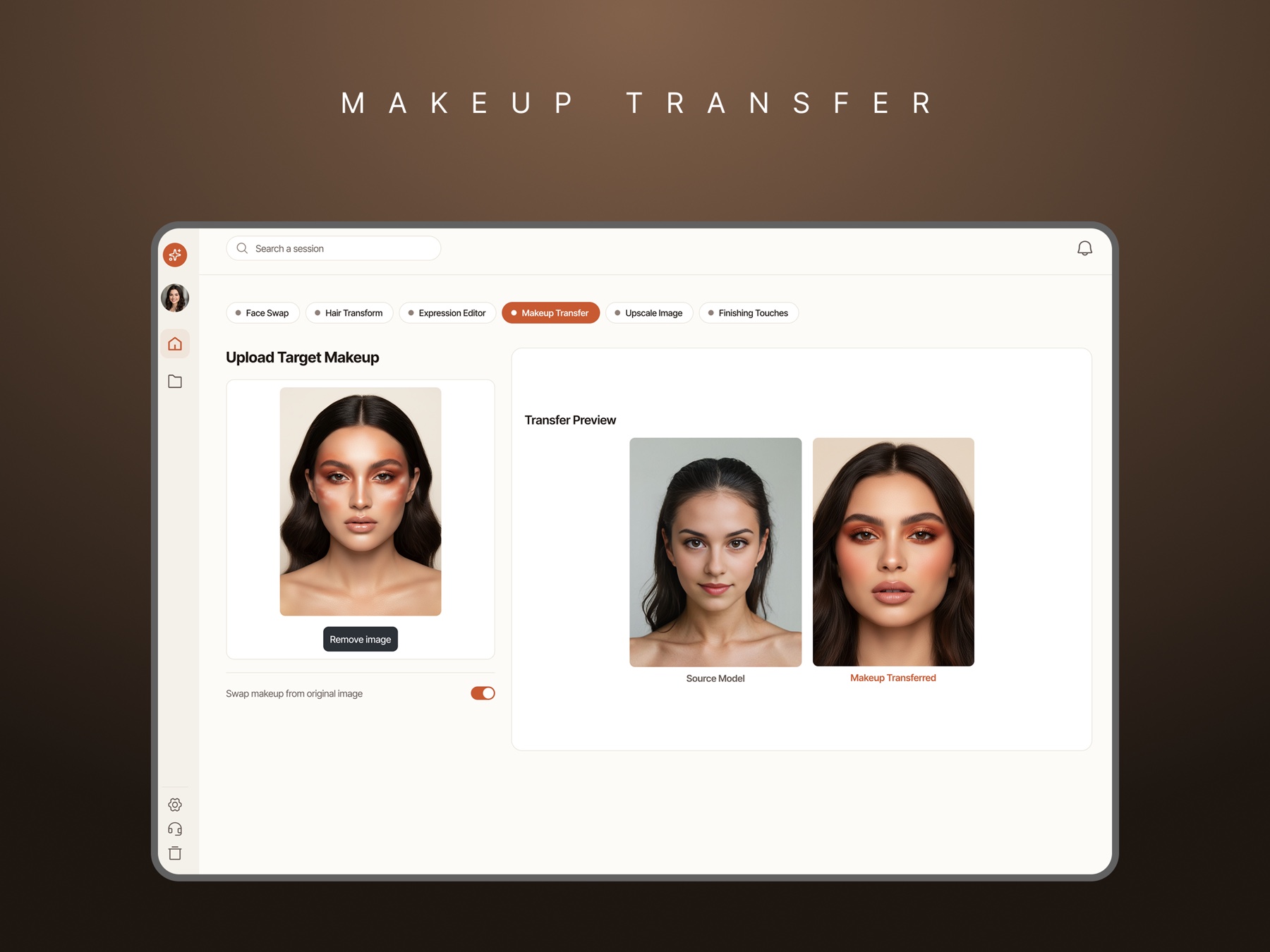
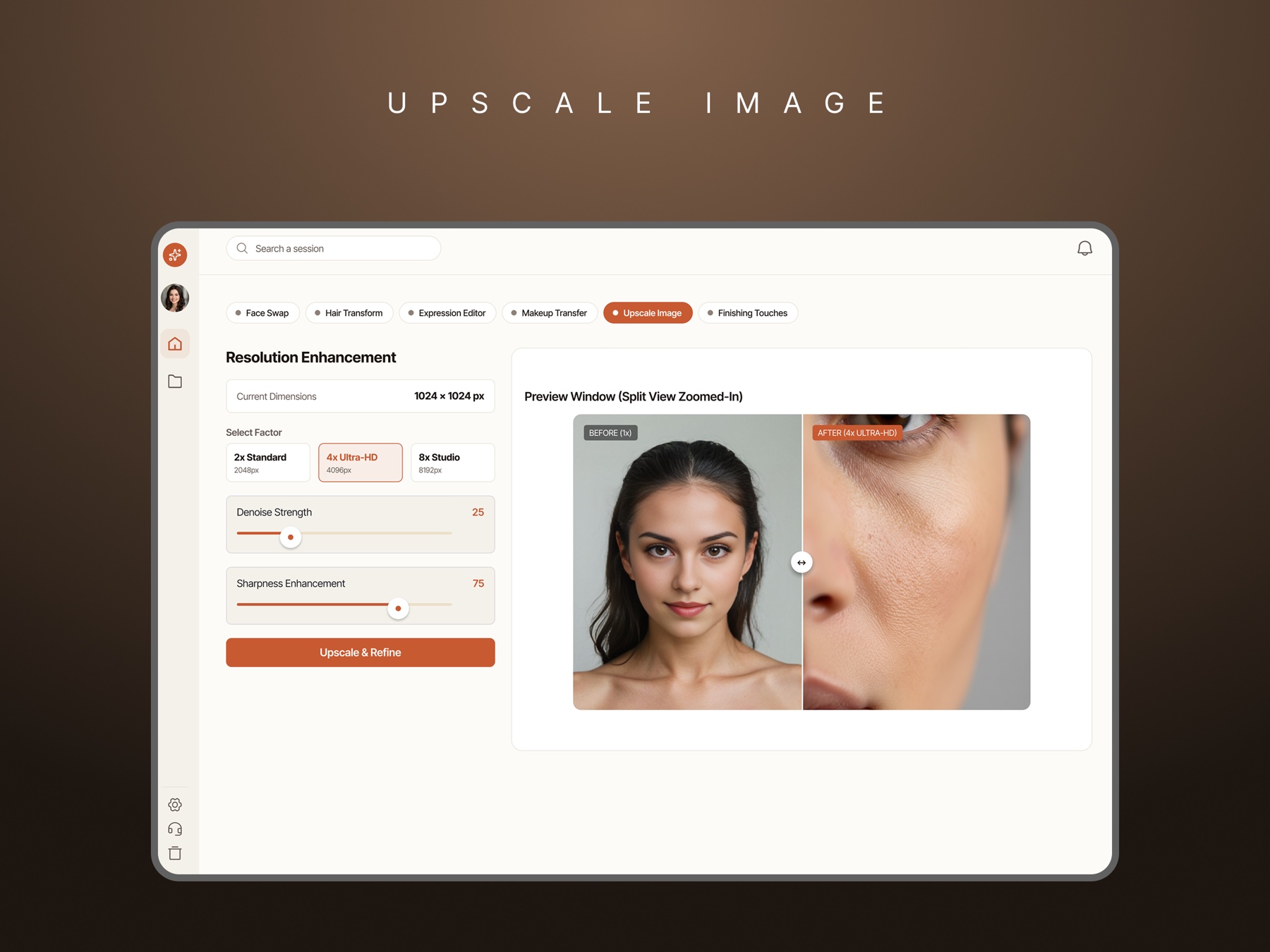
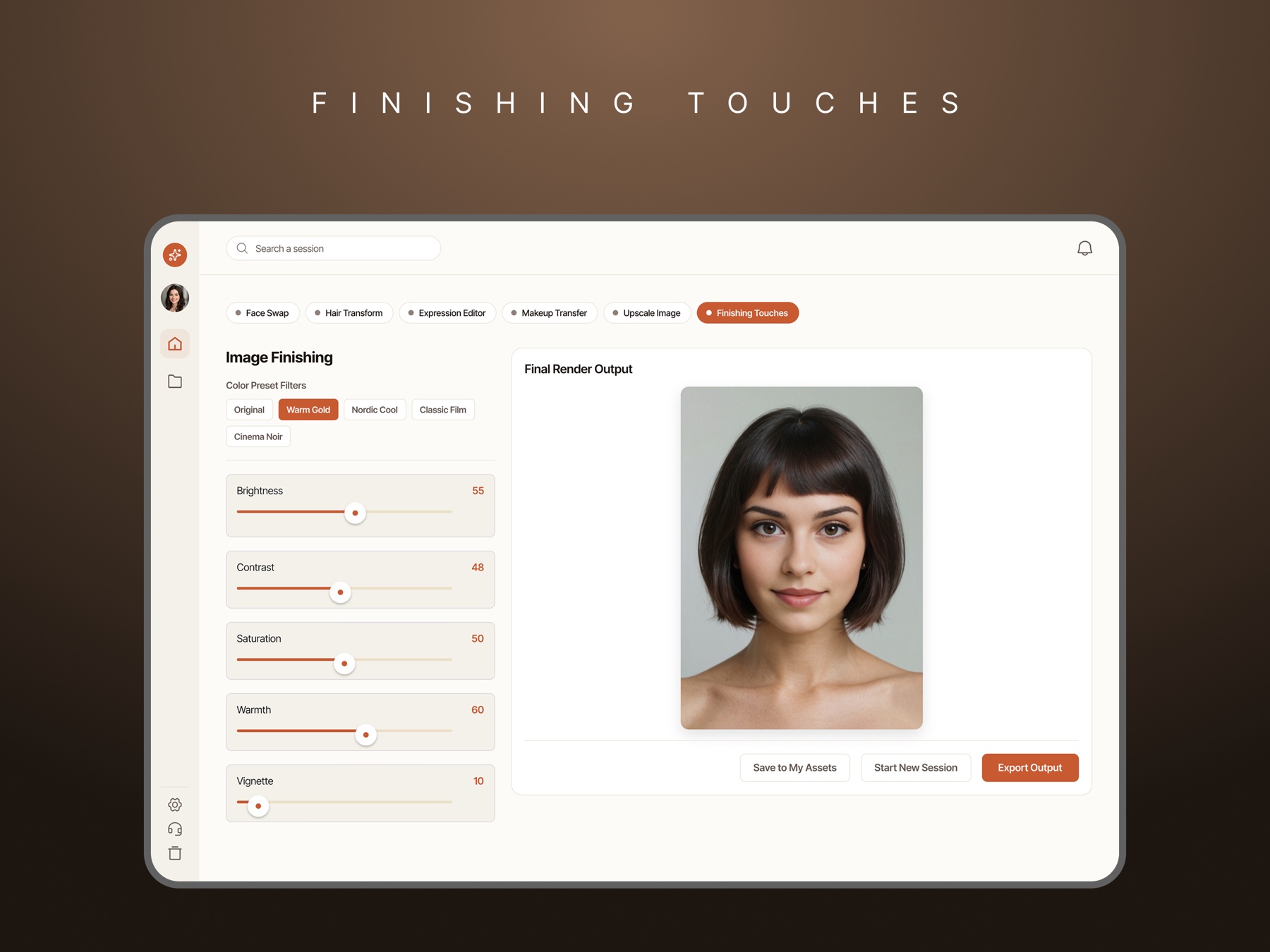
Rather than one prompt and one result, the work is broken into named stages the user moves through in order: face swap, hair, expression, makeup, upscale, and finishing. Each stage does one thing, exposes only the controls that matter to it, and hands a known-good result to the next.
The effect is that the character stops being a lucky output and becomes a build with a history. A user can re-enter a stage and change one variable, because the pipeline records what was decided where.
Making generation feel controllable
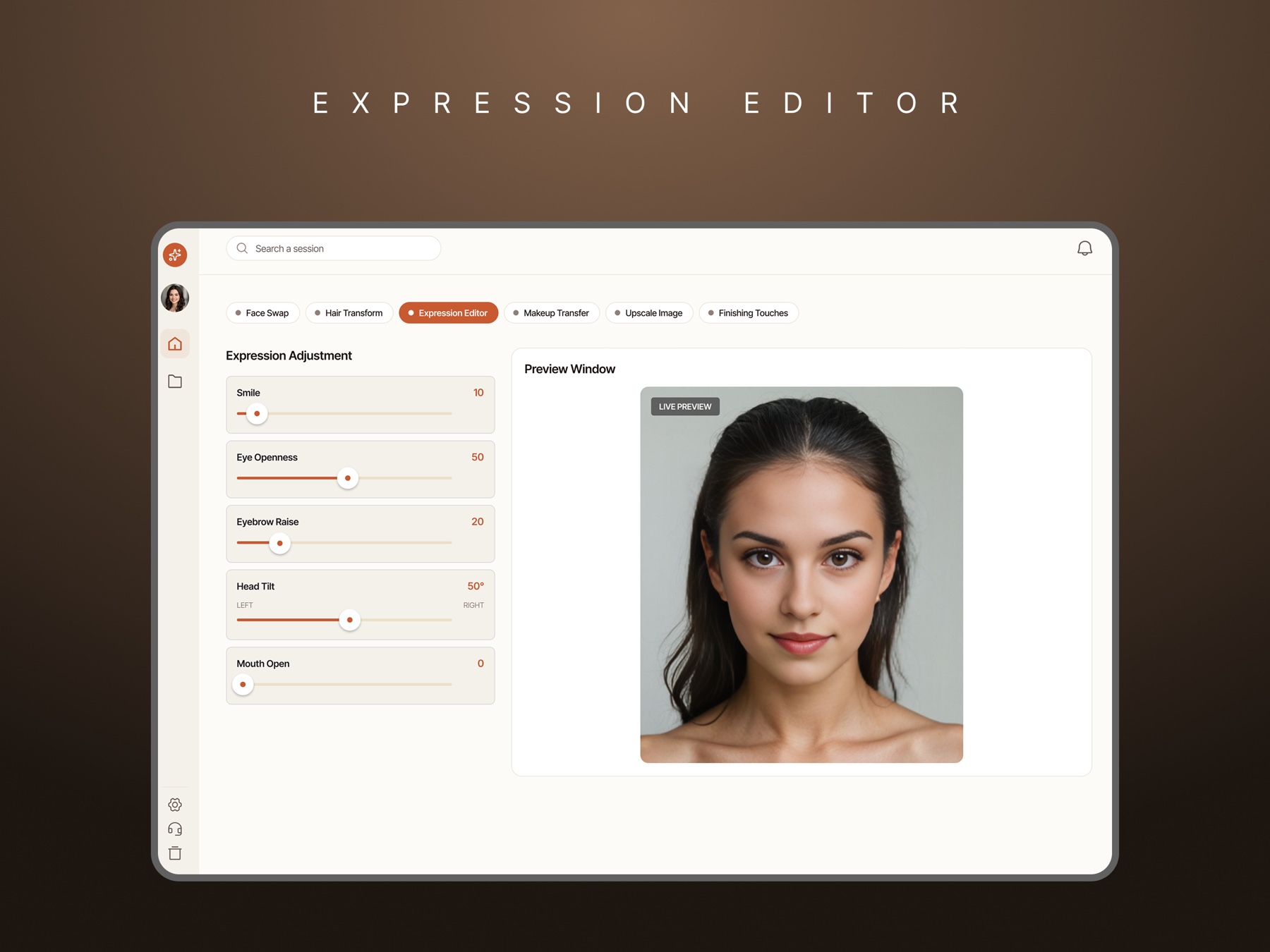
- Named dimensions instead of prose: expression is five labelled sliders, not a sentence describing a mood
- Presets first, fine control second: hair offers swatches and a style list, with a strength slider for the users who want it
- Live preview on every stage, so a change is a visible cause and effect rather than a wait and a surprise
- Comparison is a first-class state, not a feature: before and after on face swap, source versus transferred on makeup, split-view zoom on upscale
- A stepper that shows what is done, what is active, and what is still ahead, so a long workflow never feels open-ended
Designing for a non-technical user
The people using this are marketers, not machine-learning practitioners, so nothing in the interface asks them to speak model. There are no seeds, no sampler settings, no negative-prompt syntax. Controls are named in the language of the outcome: transform strength, eye openness, sharpness, warmth.
The design system carries that intent: a warm, consumer-grade palette rather than a technical dark UI, one accent used only for the active step and the primary action, and enough restraint that the generated character is always the loudest thing on screen.
outcome
- A staged workflow that makes AI character generation reviewable, repeatable, and safe to sign off
- Control surfaced as named, human-readable dimensions instead of model parameters
- Comparison designed into every stage, so quality claims can be checked rather than trusted
- A design system for a consumer-facing AI tool, from low-fidelity flows to high-fidelity mockups
built with
Figma